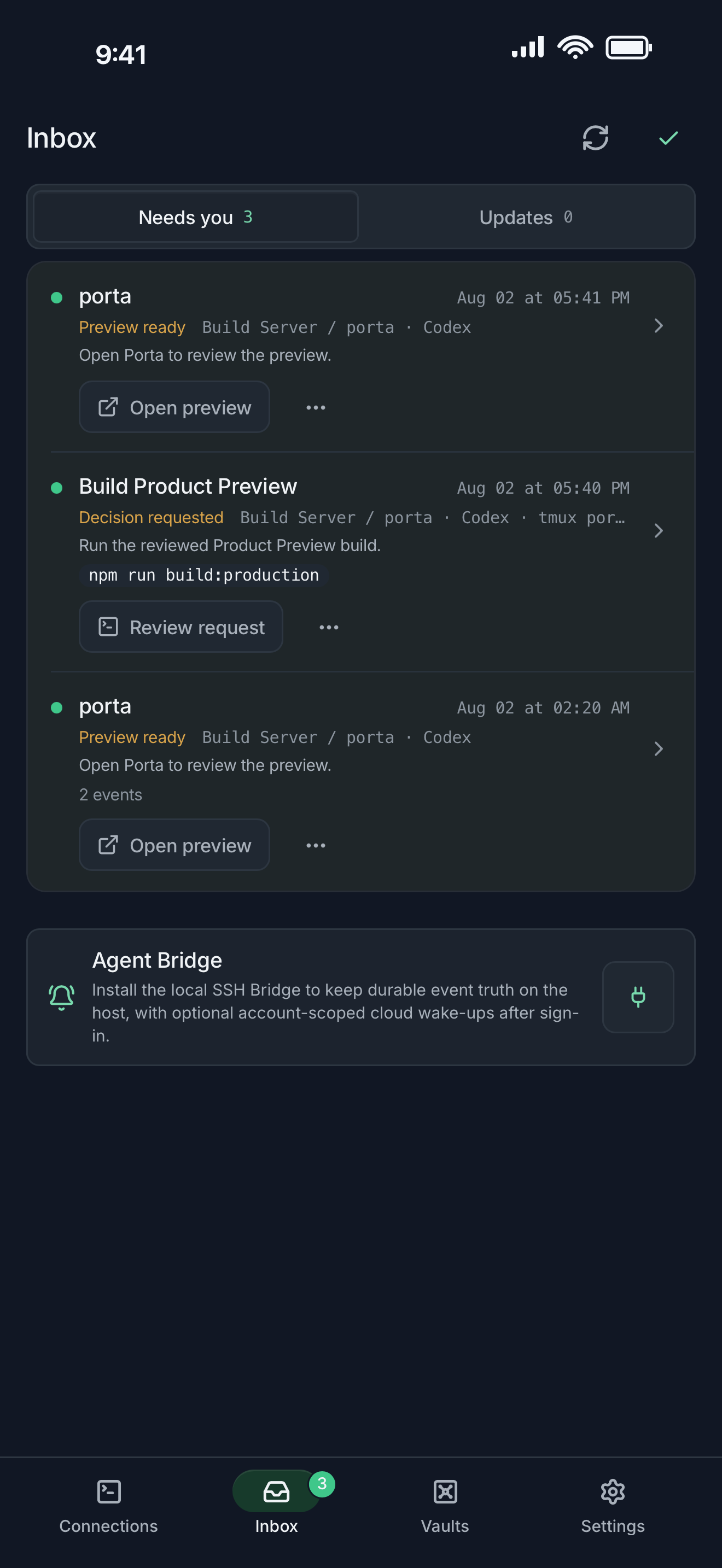
| Job to be done | Porta | Orca |
|---|---|---|
| Primary model | Mobile control plane around existing SSH/tmux work. | Desktop ADE around Agents, worktrees, terminals, browsers, and source review. |
| Mobile relationship | The phone is the primary control and review surface. | The mobile companion pairs with an Orca desktop or remote Orca server. |
| Parallel work | Maps Hosts, Projects, tmux sessions, and Agent attention. | Uses worktrees and desktop workspace orchestration as first-class structure. |
| Product review | Request-scoped web or Android artifacts, phone review, and visual feedback. | Per-worktree browser and Design Mode on desktop; mobile docs describe Web/Mobile browser views and source-control review. |
| Source of truth | Remote machine, repository, tmux, and Agent runtime. | Orca desktop or remote Orca server is the paired environment described by its docs. |
Choose Porta when
mobile review and feedback around an existing SSH/tmux environment are the main job.
Choose Orca when
a desktop worktree IDE for parallel Agents is the main organizing environment.
Orca: a desktop ADE with a mobile companion
Orca’s official documentation describes a desktop IDE where each task can have its own worktree, Agent terminal, and browser tab. Its mobile companion pairs with that environment to monitor Agents, read terminal or chat state, review source control, and send follow-ups.
- Choose Orca when worktree isolation and desktop multi-Agent orchestration are the center of the workflow.
- Its public GitHub repository had 56,875 stars when checked on August 30, 2026; that is a strong attention signal, not a guarantee of fit.
Read Orca’s official overview · Read Orca’s mobile companion docs · View Orca on GitHub
Porta: mobile control around existing remote work
Porta keeps the repository, shell, tmux session, and Agent runtime on machines you already control. The phone is the primary surface for attention, exact return, Product Preview, and visual feedback.
- Choose Porta when you do not want a desktop ADE to become the organizing model of every task.
- Choose Porta when request-scoped web or Android build review and phone-originated visual feedback are central.
- Choose Porta when SSH, tmux, SFTP, and port forwarding should remain visible parts of the workflow.
Independent products with real overlap
Porta is not affiliated with, endorsed by, or sponsored by Orca or Stably. Both products support mobile intervention in coding-agent work; this comparison focuses on their documented centers of gravity, not an invented winner.
Compare all four workflow categories · See Porta Product Preview
FAQ
Questions developers ask
- Does Orca have a mobile app?
- Yes. Orca documents an iOS and Android companion that pairs with its desktop or remote Orca environment.
- Does Porta require Orca?
- No. Porta and Orca are independent products. Porta connects to remote work through its own SSH- and tmux-oriented workflow.
- Which is better for parallel agents?
- It depends on the organizing model. Orca emphasizes desktop worktrees; Porta emphasizes Hosts, Projects, tmux sessions, mobile attention, and product review.
Let agents keep moving. Open Porta when the product needs you.
Download Porta for iPhone, iPad, or Android. Connect a machine you control and keep product judgment within reach.
Before you start
- A supported iPhone, iPad, or Android device.
- A Mac, Linux, or Windows machine reachable through SSH for remote workflows.
- No Porta account for local features; an account is required only for account-backed or Pro services.