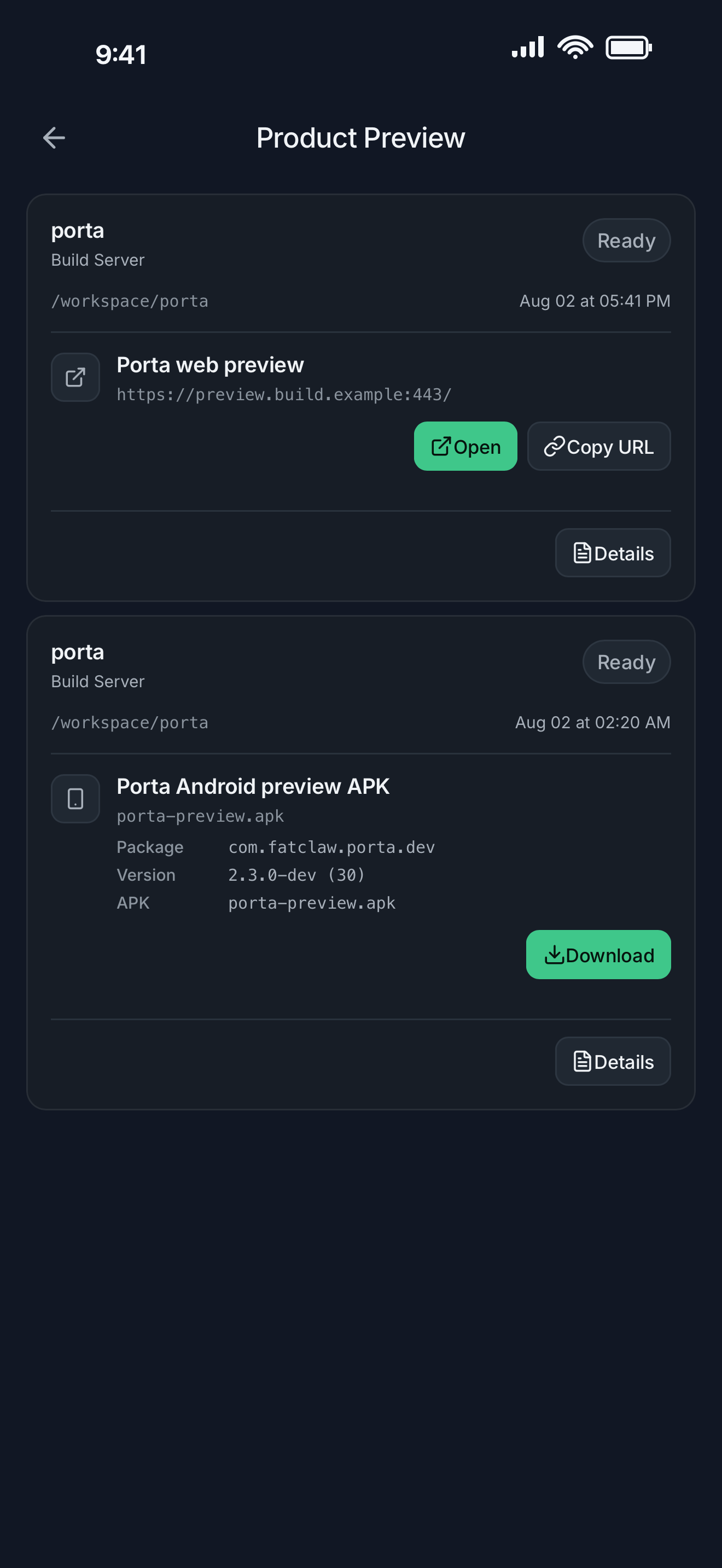
One scoped request
Start Product Preview from the active remote Agent context. Porta follows the request so the useful result stays attached to the work that produced it.
- Ask the remote Agent for the most useful reviewable result.
- Open a web result without manually rebuilding its network path.
- Keep web previews and Android builds clearly separated by what you can do next.
Inspect the actual result
Open a web preview in the mobile browser or download an Android artifact for device testing. The result remains tied to the remote workflow that produced it.
- Review layout and behavior on a real phone.
- Capture the result and mark the exact visual issue.
- Return feedback to the task that owns the change.
A tighter mobile product loop
Together, SSH, tmux, Agent Inbox, screenshot feedback, and Product Preview cover the moments that most often interrupt remote agent work: orientation, decisions, verification, and iteration.
Review agent builds on your phone · Send visual feedback to coding agents
FAQ
Questions developers ask
- Does Porta build the project on my phone?
- No. The remote host remains the build environment. Porta opens the useful web or Android result on the phone for review.
- What can Product Preview return?
- A request can return a web preview or an Android APK when the remote project can produce one. The available result depends on the project and build.
- Does a preview mean the product passed QA?
- No. A ready preview is an artifact for inspection. Device behavior, release readiness, and public availability remain separate verification steps.
Let agents keep moving. Open Porta when the product needs you.
Download Porta for iPhone, iPad, or Android. Connect a machine you control and keep product judgment within reach.
Before you start
- A supported iPhone, iPad, or Android device.
- A Mac, Linux, or Windows machine reachable through SSH for remote workflows.
- No Porta account for local features; an account is required only for account-backed or Pro services.