| Job to be done | Porta | Termius |
|---|---|---|
| Primary focus | Continue remote Agent work through decisions and product review. | General-purpose remote access across mobile and desktop. |
| Remote access | SSH, SFTP, port forwarding, and tmux-oriented continuity. | SSH, Mosh, Telnet, SFTP, and port forwarding are listed in the official app description. |
| Saved work | Snippets, command history, projects, and exact return to active work. | Saved commands, command history, multi-tab sessions, and split view are listed. |
| Agent review loop | Agent Inbox, exact return actions, visual context, and Product Preview. | Termius officially documents mobile terminal practices for working with AI Agents. |
| Account boundary | Local features can be used without a Porta account; account-backed services are separate. | Encrypted cross-device vault sync is listed as a Pro capability. |
Choose Porta when
tmux and command-line Agents are central, and you want decision and review context to remain attached to remote work.
Choose Termius when
broad protocol coverage and a mature general SSH toolkit are the main job.
Termius: broad remote access
Termius is a mature general-purpose SSH client across desktop and mobile. Its official product page highlights hosts, SFTP, workspaces, port forwarding, snippets, and encrypted Vault workflows; its official blog also documents using mobile Termius with AI Agents.
- Choose Termius when broad protocol coverage and a polished general SSH toolkit are the primary job.
- Do not assume Agent-oriented mobile use is unique to Porta; compare the depth of the workflow you actually need.
Read the official Termius product page · Read Termius on mobile AI Agents
Porta: continuity around AI-assisted product work
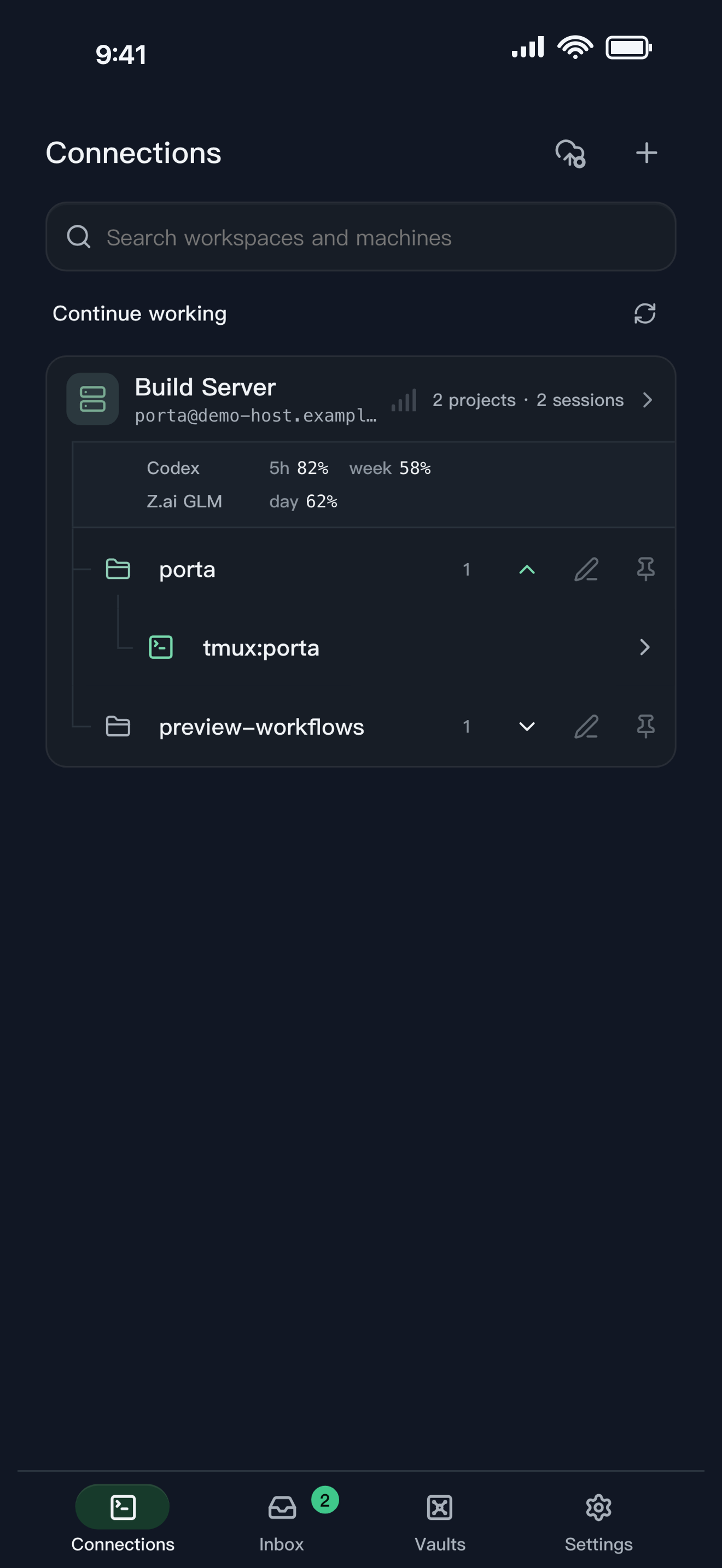
Porta starts from SSH and tmux, then follows the work beyond the terminal: agent attention, screenshot feedback, remote files, and Product Preview. The differentiator is the connected product loop, not a claim that Porta has every protocol or replaces every desktop task.
- Choose Porta when tmux and command-line coding agents are central to the workflow.
- Choose Porta when you need Agent Inbox, visual feedback, and phone-ready preview results around the same remote context.
- Choose Porta when local-first storage and machines you control are important boundaries.
Independent products
Porta is not affiliated with, endorsed by, or sponsored by Termius. Termius and related marks belong to their respective owner. Product capabilities are a snapshot verified on August 30, 2026; check each official product source before making a purchase decision.
Compare all workflow categories · See Porta’s mobile SSH workflow
FAQ
Questions developers ask
- Does Termius support mobile AI Agent workflows?
- Yes. Termius publishes official guidance for using terminal-based AI Agents from mobile.
- Why choose Porta instead of Termius?
- Choose Porta when Agent Inbox, exact task return, request-scoped Product Preview, and visual feedback are more important than broad general remote-access coverage.
- Is Porta affiliated with Termius?
- No. Porta and Termius are independent products, and this comparison uses dated public sources.
Let agents keep moving. Open Porta when the product needs you.
Download Porta for iPhone, iPad, or Android. Connect a machine you control and keep product judgment within reach.
Before you start
- A supported iPhone, iPad, or Android device.
- A Mac, Linux, or Windows machine reachable through SSH for remote workflows.
- No Porta account for local features; an account is required only for account-backed or Pro services.