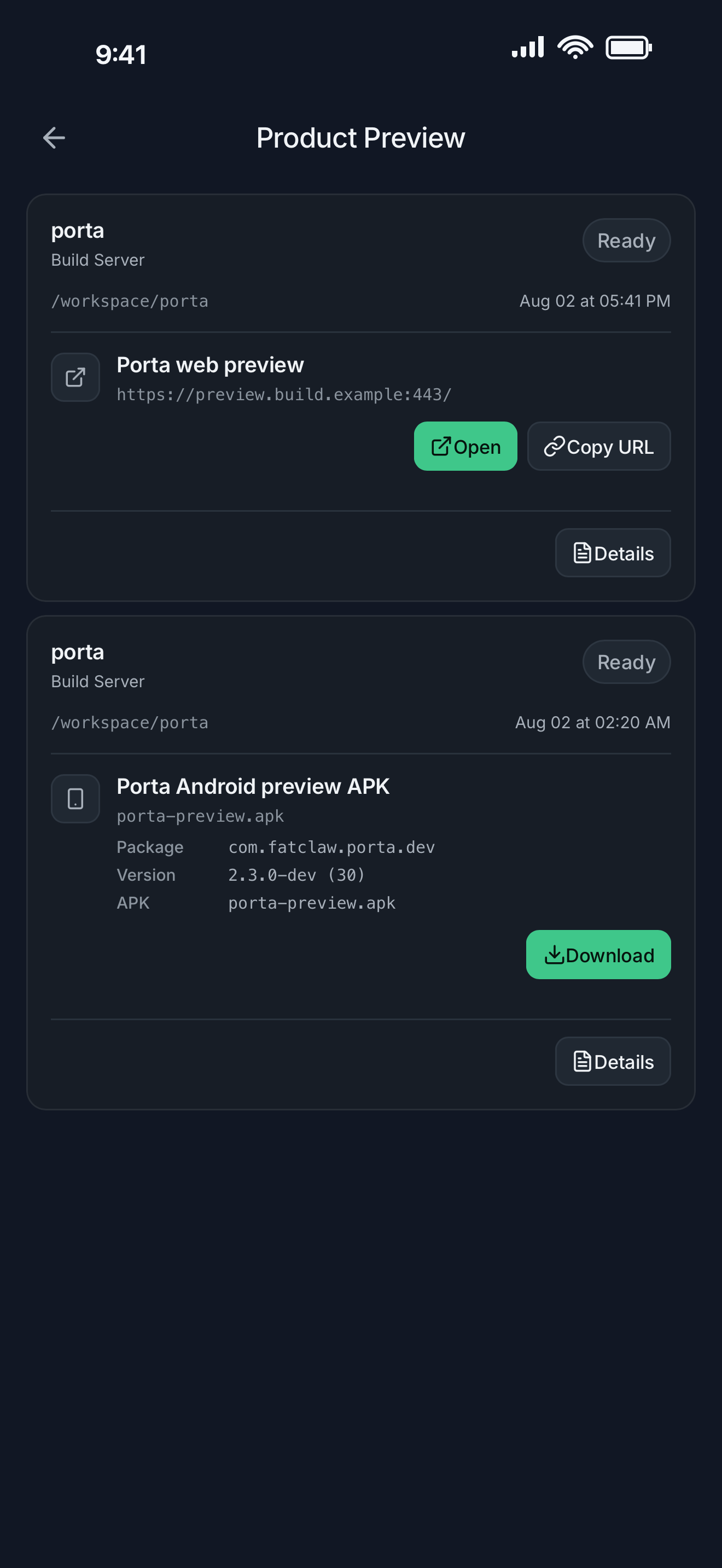
Review the artifact, not the status message
Coding agents can finish a command while the product still has a broken layout, a device-only failure, or the wrong interaction. Porta keeps completion and product acceptance as separate states.
- Open a reviewable web result through the remote host.
- Download an Android APK when the project produces one.
- Keep the preview request attached to the Agent task and source context.
Use the phone as the acceptance surface
A mobile screen reveals constraints that desktop browser checks can miss. Review the real viewport, keyboard, safe areas, touch targets, and device behavior before calling the work complete.
- Inspect the layout at the device size that matters.
- Capture the exact state instead of describing it from memory.
- Separate preview evidence from release or store availability.
Return the evidence to the right work
The useful outcome is not a screenshot in a gallery. It is a precise observation routed back to the remote task that owns the change.
FAQ
Questions developers ask
- Can I review a local development web app from my phone?
- Porta can expose a reviewable preview through the remote host when the project supplies a usable web entry point.
- Can Porta install every Android build automatically?
- No. Porta can present a request-scoped APK artifact, but installation support and device acceptance depend on the phone, build, and platform policy.
- Is this a replacement for desktop development?
- No. Porta targets short, high-value review and feedback moments while the repository and development environment remain on your machine.
Let agents keep moving. Open Porta when the product needs you.
Download Porta for iPhone, iPad, or Android. Connect a machine you control and keep product judgment within reach.
Before you start
- A supported iPhone, iPad, or Android device.
- A Mac, Linux, or Windows machine reachable through SSH for remote workflows.
- No Porta account for local features; an account is required only for account-backed or Pro services.